
Hexagon
Geomagic Wrap
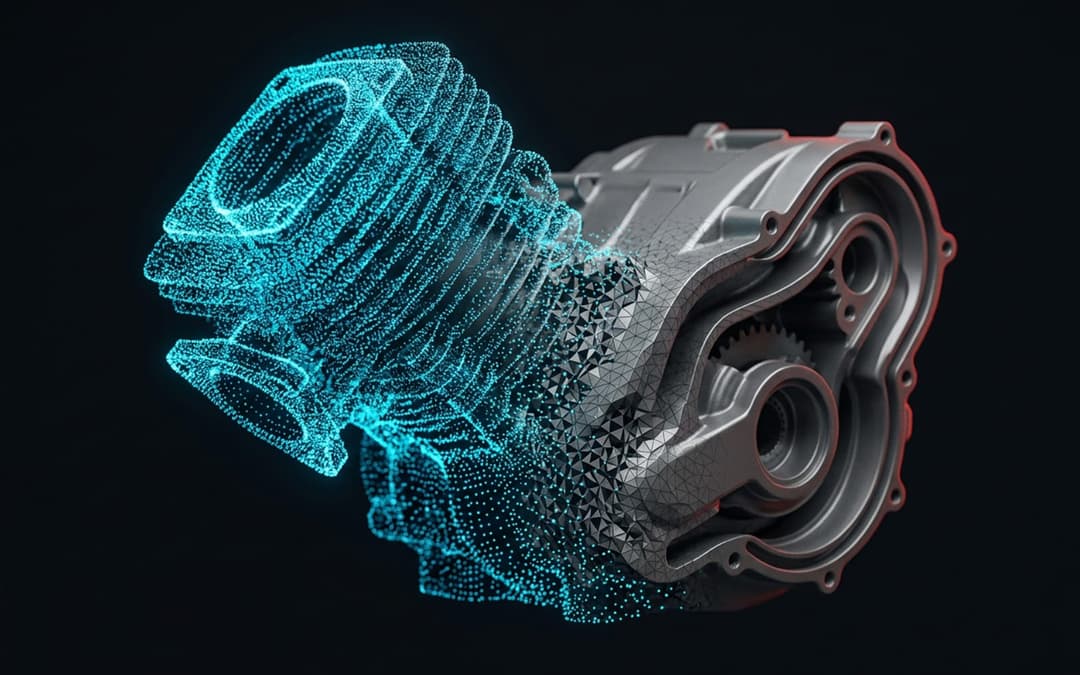
From scan to 3D model: point cloud processed into a mesh, with no CAD knowledge required
Geomagic Wrap is Hexagon software for processing point clouds and turning them into meshes and 3D models, with no CAD experience required. It serves art, archaeology, design, film, and packaging, as well as 3D printing. Technosim resells, implements, trains, and provides support in Brazil.
Highlights
No CAD required
Users do not need knowledge of engineering software, which opens up use to artists, designers, and archaeologists.
Models for 3D printing
Fast creation of 3D models for printing and for other manufacturing processes.
Point clouds under control
Improved editing, navigation, and visualization, with automated tools for alignment, cleanup, and surface manipulation.
Large files
Fast processing of large data volumes, common with high-resolution scanners.
Probing data
Creates 2D and 3D elements directly from probe data obtained by contact.
Customizable commands
Selected commands can be customized to each user's routine.
Geomagic Wrap: what it is and what it does
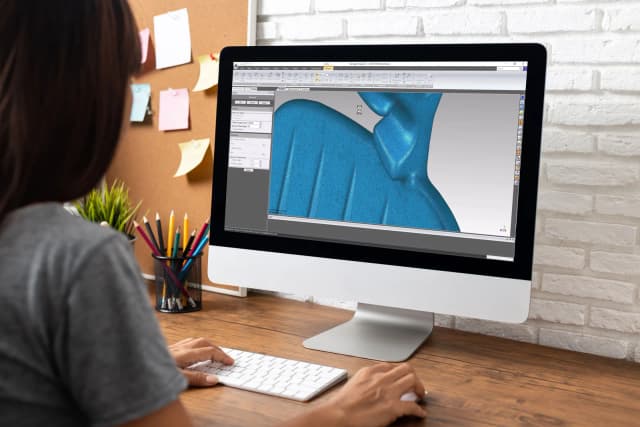
Geomagic Wrap is Hexagon software for working with 3D scanner point clouds and meshes and converting them into ready-to-use 3D models. It is the most accessible path for processing point clouds, because users do not need to know engineering software or CAD.
The difference from Geomagic Design X lies in the result. Geomagic Wrap delivers a mesh and surfaces that represent the shape of the part. Geomagic Design X delivers a parametric solid, with dimensions and history. If your application needs a faithful shape, but nobody will edit diameters and radii, Geomagic Wrap solves it in fewer steps.
For the buyer, this translates into a shorter learning curve and a shorter workflow between the scanner and the usable file, whether for 3D printing, animation, restoration, or analysis.
Point cloud software: how to turn it into a 3D model
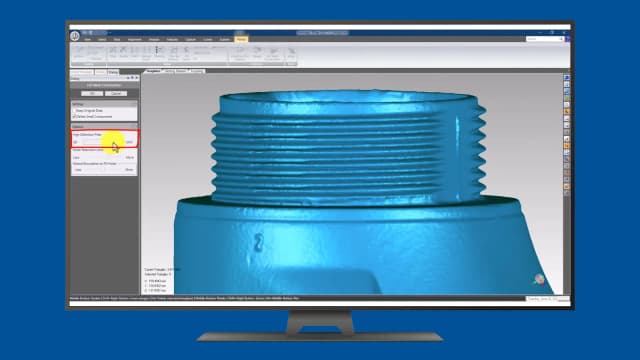
The workflow has well-defined steps. The first is registration: when the scanner captured the part in several shots, the point clouds need to be aligned with each other. Geomagic Wrap has automated alignment tools for this.
Next comes cleanup. The background, isolated points, and measurement noise are removed, which show up in the mesh as graininess or spikes. Then the triangle mesh is generated from the point cloud and defects are corrected: holes, unconnected edges, overlapping triangles.
The mesh can then be smoothed, reduced in density to make it easier to use, and closed so it is watertight. That last point matters in 3D printing, which requires a surface with no openings. The result is exported in mesh format, or as surfaces for use in other software.
The whole process works with large files, and the software was developed for that.
Geomagic Wrap in art, archaeology, design, and film
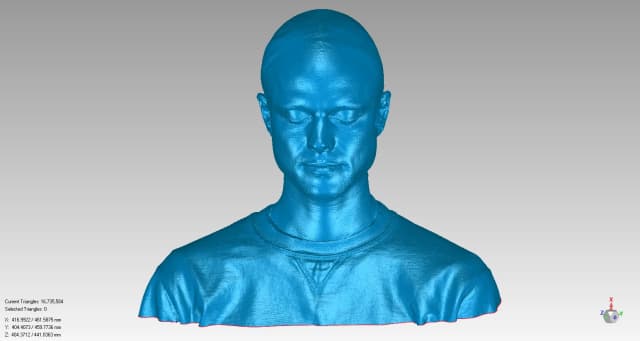
In these sectors, what matters is the shape, not the dimension. A sculptor who digitizes a piece to enlarge or reproduce it needs a faithful mesh with a clean surface. An archaeology team documenting an artifact needs a model that preserves surface detail. A film studio needs a real object inside a digital environment.
Geomagic Wrap serves these cases because it handles the point cloud directly, with improved editing, navigation, and visualization, and produces 3D models for printing, analysis, marketing, and entertainment.
The operator does not need to be a designer. A person from communications, restoration, or design, trained in the workflow, can get to the model. The consequence is that processing the scan no longer depends on a CAD professional, who is often a bottleneck.
Reverse engineering of packaging and freeform shapes in industry
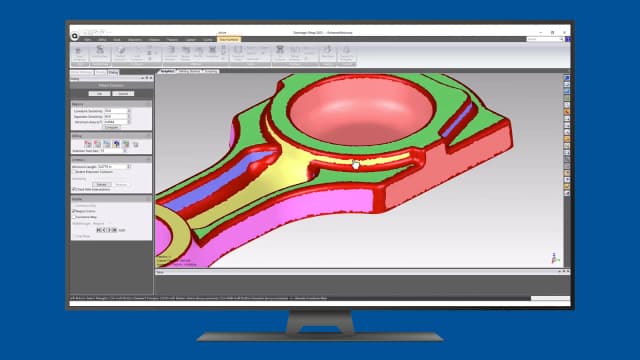
Industry also uses Geomagic Wrap, mainly in packaging. Vials, bottles, and blister packs are products that have no well-defined planes to model, and fitting a cylinder or a plane helps little. In these cases, representation by mesh and surfaces describes the shape better than a parametric solid.
The software also creates 2D and 3D elements directly from probe data obtained by contact, which serves teams that combine probing and scanning.
For freeform shapes, the workflow is usually: digitize, process the mesh, generate surfaces, and export to the design or manufacturing software. If the project also requires dimensions and an editable history, Geomagic Design X or Geomagic for SolidWorks complement the work. The decision comes from one question: will anyone need to edit measurements?
Common mistakes in point cloud processing and how to avoid them
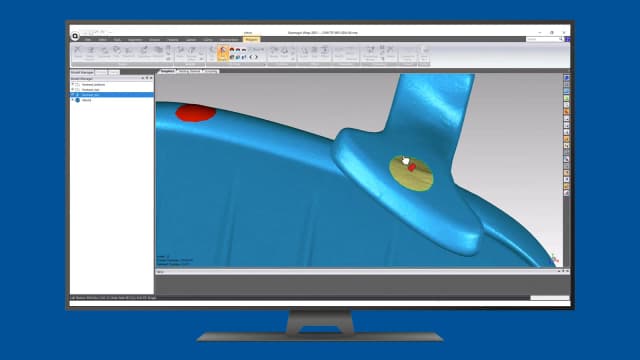
The first mistake is modeling without aligning the point clouds to the coordinate system. If registration between shots is poor, the mesh gets steps and the part appears duplicated at the seams. Check the registration before closing the mesh.
The second is treating a noisy point cloud as if it were clean. Over-smoothing erases real details, such as texture, engraving, and sharp edges. Under-smoothing keeps noise. Adjust the intensity by region and check the result against the original point cloud.
The third is closing holes automatically without looking at what was closed. A real hole can be filled as if it were a capture failure. Finally, reducing mesh density too much to gain speed loses detail that your use requires. Define beforehand which detail must survive, and decide the density based on it.
When not to use Geomagic Wrap and what to use instead
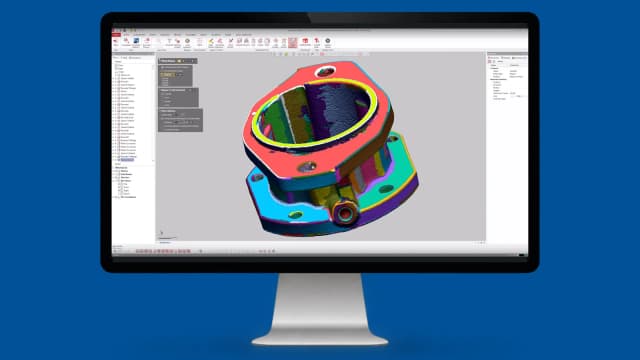
If the destination is machining, injection molding, or any process that depends on editable dimensions, radii, and tolerances, Geomagic Wrap is not the choice. The mesh has no parameters. Use Geomagic Design X, or Geomagic for SolidWorks when the team designs in SolidWorks.
If the question is whether the part conforms to the design, the product is Geomagic Control X, which compares the scan with the CAD, measures GD&T, and issues a report.
Geomagic Wrap also does not replace a modeling system for parts with many planes, holes, and cylinders. For those, extracting analytical surfaces and building the history gives a leaner model that is easier to review.
There is a reason for saying this before the purchase: you pay for the feature your application uses, and your part's workflow follows the shortest path.
Workflow: from the scanner to Geomagic Wrap
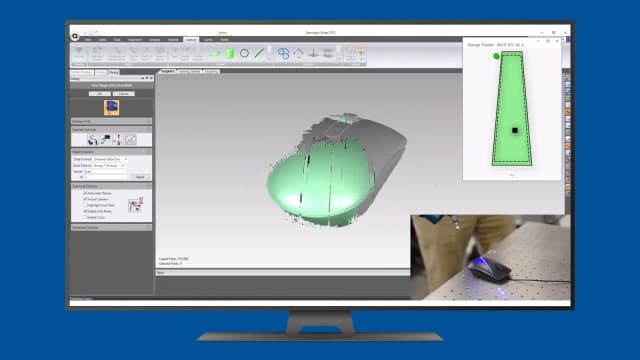
The workflow starts at the scanner. Technosim resells Scantech scanners (SIMSCAN, NimbleTrack, KSCAN-Magic, and 3DeVOK MT). For colored parts, sculptures, and the human body, the 3DeVOK MT is the recommended scanner; for industrial parts with reflective surfaces, the KSCAN-Magic. The choice of equipment depends on the part.
The scanner file goes into Geomagic Wrap, which aligns, cleans, and delivers the mesh. If the goal is to print, the mesh goes to the printing software. If the goal is to design, it goes to Geomagic Design X or Geomagic for SolidWorks. If the goal is to verify the manufactured part, Geomagic Control X performs the comparison.
Technosim knows every step and recommends the shortest path for your case.
Implementation, training, and support: what Technosim delivers

Technosim resells, implements, and supports Geomagic Wrap in Brazil. We also teach and do the work: we offer tailored training for teams, perform 3D scanning and reverse engineering as a service, and our team has worked in reverse engineering since 1998.
There is a technical reason to train with your own part. The behavior of a scan depends on material, gloss, and geometry. Anyone who has processed many meshes knows where noise hides and where smoothing destroys detail.
If the demand is one-off, such as digitizing a collection, a communications piece, or a batch of packaging, you can contract the service and decide later whether it is worth bringing in-house. If the decision is to buy, training starts with your own parts.
How to request a demo or quote

Send Technosim a description of what you want to do with the model (print, animate, document, design), the size and material of the part and, if you already have it, the scanner file. Tell us how many users will work with the software.
The team will let you know whether Geomagic Wrap is the right product or whether another one in the line fits better, and will present a demo using one of your files. The price depends on the configuration, the number of users, and the training, so Technosim prepares the quote after understanding the application.
License and demo terms are provided by Technosim on request.
Comparison
| Criterion | Geomagic Wrap | Geomagic Design X | Geomagic Control X |
|---|---|---|---|
| Main goal | Point cloud to mesh and 3D model | Reverse engineering with a parametric CAD model | 3D inspection and metrology |
| Result | Mesh and surfaces | Editable parametric solid | Deviation report between scan and design |
| Requires CAD knowledge | No | Yes, it is a design workflow | Basic metrology and inspection knowledge |
| Typical audience | Art, design, archaeology, film, packaging | Designers and product engineering | Quality, metrology and toolmaking |
| 3D printing | Main application | Possible, once the model is ready | Not the focus |
| When NOT to choose | If you need dimensions and an editable history (use Design X) | If the part is freeform and no one will edit measurements (use Wrap) | If you need to create the CAD model (use Design X) |
Applications
- Art, sculpture, and collection preservation
- Product design and packaging
- Archaeology and cultural heritage
- Film and entertainment
- Preparing models for 3D printing
- Surface-based reverse engineering of freeform shapes
- Creating 2D and 3D elements from probe data
Articles on this topic
Frequently asked questions
What is Geomagic Wrap?
It is Hexagon software for processing 3D scanner point clouds and generating meshes and 3D models, with no CAD knowledge required. It is used in art, archaeology, design, film, packaging, and 3D printing. Technosim resells, implements, and provides support in Brazil.
Do I need to know CAD to use Geomagic Wrap?
No. Geomagic Wrap was designed for people with no knowledge of engineering software or CAD. The workflow deals with the point cloud and the mesh, and Technosim offers tailored training for your routine.
Does Geomagic Wrap generate a parametric solid?
That is not its purpose. It delivers meshes and surfaces. For a solid with dimensions and editable history, use Geomagic Design X, or Geomagic for SolidWorks if the team designs in SolidWorks.
Is Geomagic Wrap free? Is there a trial version?
It is licensed commercial software. Technosim provides license and demo terms on request and can show the workflow using one of your files. Send the type of part and the scanner used to receive a proposal.
Is Geomagic Wrap suitable for 3D printing?
Yes. It quickly creates 3D models for printing and other manufacturing processes. Printing requires a closed mesh with no openings, and the processing workflow includes fixing these defects before export.
What is the difference between Geomagic Wrap and Geomagic Design X?
Geomagic Wrap delivers meshes and surfaces, with no CAD required. Geomagic Design X delivers a parametric solid, with history, for those who need to edit dimensions and export to SolidWorks, NX, Inventor, or CATIA. The choice comes from the use: faithful shape or editable model.
Does Geomagic Wrap perform dimensional inspection?
That is not its focus. To compare the part with the CAD, measure GD&T, and issue a report, the product is Geomagic Control X.
Does it work with Technosim's scanners?
Geomagic Wrap processes point clouds from 3D scanners. Technosim resells Scantech scanners and checks the format of your file before purchase to ensure it can be imported.
Can Geomagic Wrap be used for packaging?
Yes. Packaging has shapes without well-defined planes, where traditional parametric modeling helps little. The software offers tools to process this data and generate the model.
Does Geomagic Wrap process large files?
Yes. The software quickly processes heavy data files, common with high-resolution scanners. The machine matters too: memory and graphics card affect how smoothly it runs.
How much does Geomagic Wrap cost?
The price depends on the license configuration, the number of users, and the training. Technosim prepares the quote after understanding the application. Send the intended use, the scanner, and the number of users to receive a proposal.
Want to see it in action?
Schedule a demo with a part of yours, in person or online.