
Geomagic Design X, for SolidWorks, or Wrap: which to choose
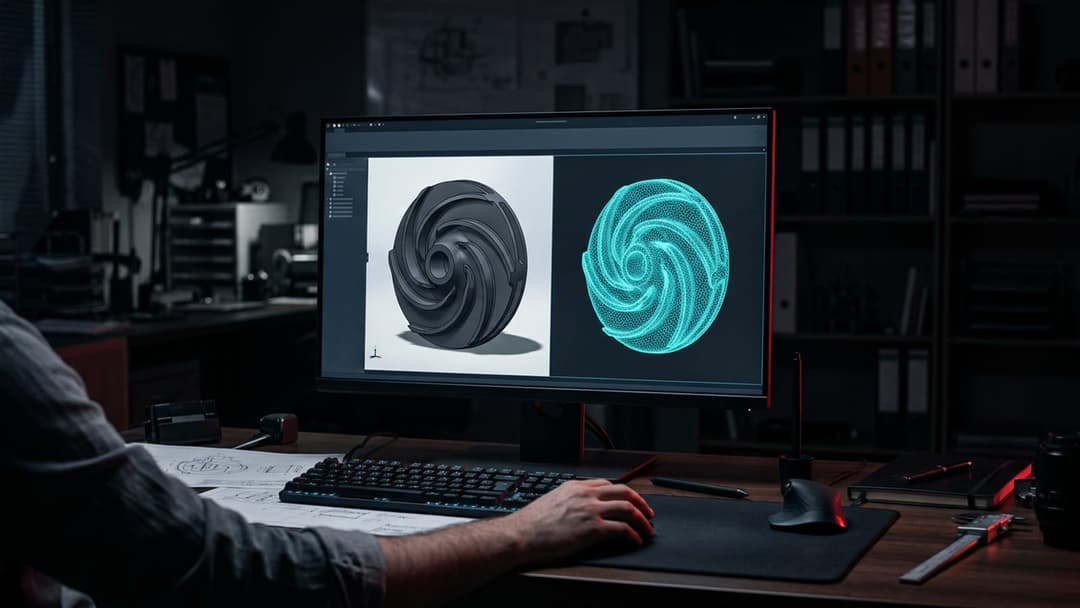
Use Geomagic Design X when you need an editable parametric solid model from a mesh, exportable to any CAD. Use Geomagic for SolidWorks if all your work happens inside SolidWorks. Use Geomagic Wrap for organic surfaces, art, and 3D printing. Use Control X when the goal is to inspect, not to model.
What is the difference between Geomagic Design X, for SolidWorks, and Wrap?
All three start from the same raw material: the point cloud or triangle mesh that the 3D scanner generates. What changes is the result. A mesh is not a CAD model: it has no holes as holes, no planes as planes, and no operation history. Turning one into the other is the task of reverse engineering, and each software package fulfills a different version of that task.
The Geomagic Design X combines CAD-based history with scan data processing. You create an editable solid model, with all commands saved in a tree that can be changed or deleted, and export to SolidWorks, NX, Inventor, CATIA, and others. Geomagic for SolidWorks brings reverse engineering tools into SolidWorks. Geomagic Wrap processes point clouds and meshes and generates 3D surface models without requiring CAD knowledge.
When should you use Geomagic Design X?
Design X is the choice for mechanical parts that will be manufactured, modified, or assembled: gears, housings, brackets, mold components and stamping tools, spare parts without drawings. You extract planes, cylinders, and surfaces from the mesh, build solids with sketches and operations, and the software compares the created surface with the scanned mesh in real time, so you see the deviation during construction, not afterward.
It is also suited to working with large meshes and point clouds of larger scenes, from a small part to an industrial plant. The result stays in your preferred CAD, and the history lets you adjust a radius or a diameter without rebuilding the model. If your workflow is scan, model, and manufacture, it is the starting point. Technosim uses this workflow in its Scan-to-CAD service.
When should you use Geomagic for SolidWorks?
Geomagic for SolidWorks fits when your team already designs in SolidWorks and wants to keep that environment. The tools appear inside it, the result is visualized right there, and you generate cavities or 2D drawings in SolidWorks itself, without going through export. The module's datasheet cites reduced time to build complex models from scans and real-time verification against the mesh.
The point of caution is dependency: the module lives inside SolidWorks. If you use more than one CAD, serve customers who ask for formats from other systems, or do reverse engineering as a main activity, Design X is a standalone environment, with more independence. If reverse engineering work is occasional and your team already has a SolidWorks license, the module reduces the learning curve.
When should you use Geomagic Wrap?
Wrap is the tool for parts without well-defined planes and cylinders: sculptures, artistic pieces, archaeology, film, packaging, ergonomic parts. It cleans, aligns, and edits point clouds, generates meshes and surfaces, and prepares the model for 3D printing, manufacturing, visualization, or analysis, without requiring engineering or CAD knowledge.
The limit lies in what it does not deliver: a parametric model, with operation history and editable dimensions. If the part will be modified by engineers in a CAD system (changing a hole, changing a thickness), you need Design X or the SolidWorks module. If the part will be copied, printed, or presented as a shape, Wrap solves it with less effort.
And Geomagic Control X, when does it come in?
The Control X is for inspection. Instead of recreating the part, it compares the mesh with the CAD model, shows deviation through a color map, measures dimensions and GD&T, and issues digital inspection reports for internal use or for customers and suppliers. If the question is "is this part within tolerance?", it is Control X. If it is "how do I design this part?", it is Design X.
The two meet at the end of the reverse engineering workflow: after modeling in Design X, you scan the manufactured part and use Control X to check the deviation between the new CAD and the part. For the quality team, there is the Geomagic Control X measurement course.
What is the workflow from mesh to CAD model?
Regardless of the software, the path follows the same logic, and most of the final quality is decided before you open Design X:
- Scan the part with full coverage, with no gaps in the regions that will be modeled, and with accuracy compatible with the design tolerance.
- Clean the mesh: remove noise, loose fragments, and fixture data, and fill small capture holes.
- Define the part's coordinate system, aligning the mesh to the design's reference planes and axes.
- Divide the mesh into geometric regions: planes, cylinders, cones, spheres, and freeform surfaces.
- Build the model: sketches on mesh sections, solid and surface operations, keeping the history organized.
- Check the deviation between the model and the mesh, in a color map, and correct where it exceeds the tolerance.
- Export to the target CAD and check the tree and units in the received file.
Common reverse engineering mistakes with Geomagic
- Modeling over a noisy or incomplete mesh. No software compensates for a poor capture, and rescanning costs less than fixing the model.
- Not aligning the mesh to the part's coordinate system before modeling, which makes the dimensions depend on the position in which the part was scanned.
- Copying the wear: modeling an oval-shaped hole or a worn edge as it was scanned, instead of the design intent.
- Skipping the deviation check and discovering the error in machining or assembly.
- Using Wrap when the customer asks for a parametric model, or Design X for a sculpture that only needs a mesh.
- Building a history tree that is too complex, which nobody can edit later.
- Ignoring scan tolerance: values such as a hole diameter carry uncertainty and must be treated as estimates.
When Geomagic is not the best option
If the part is simple and prismatic, with a few dimensions that can be measured with calipers, modeling directly in CAD is faster than scanning and doing reverse engineering. If you have a single part and no reverse engineering routine, hiring Technosim's 3D modeling or Scan-to-CAD service avoids paying for a license and training for a one-off use.
Frequently asked questions
What is the difference between Geomagic Design X and Geomagic Wrap?
Design X generates parametric solid models, with editable history, for mechanical parts exported to CAD. Wrap works with point clouds and meshes and generates surface models, without requiring CAD knowledge, for art, packaging, and printing. Choose based on the model's destination: engineering or form.
Does Geomagic for SolidWorks replace Design X?
It depends on the workflow. The module provides reverse engineering tools inside SolidWorks and suits those who never leave it. Design X is standalone software, exports to many CAD systems, and is the option for those who do reverse engineering frequently or serve customers with different systems.
Do I need to know CAD to use Geomagic Design X?
It helps a lot. Design X uses CAD logic, with sketches, operations, and history, and those who already design in SolidWorks, NX, or Inventor learn faster. For those without a CAD background, the reverse engineering course with Design X covers everything from the fundamentals.
Is Geomagic Wrap suitable for reverse engineering mechanical parts?
It is suitable for generating the mesh and surfaces, and the software's datasheet cites packaging and parts without well-defined planes. For mechanical parts that will be edited, with parametric holes and planes, Design X or the SolidWorks module are better suited, because they deliver history and editable dimensions.
Which software should I use for inspection, rather than modeling?
Geomagic Control X. It compares the scanned mesh with the CAD model, measures dimensions and GD&T, and issues digital inspection reports. Design X recreates the part, and Control X verifies whether the part conforms to the design. Many teams use both.
Does Technosim teach and support Geomagic?
Yes. Technosim resells, deploys, trains on, and supports Geomagic software in Brazil, and has done reverse engineering since 1998. The online reverse engineering course on Design X is available on Hotmart, and there is training for teams on Control X and digitization.
Request a quote or demonstration
To recommend the right software, Technosim needs to know the type of part, the CAD you use, who will operate the program, how often the work occurs, and whether the result is for manufacturing, printing, or inspection. Send a photo or a sample mesh and what you need to deliver at the end. We can demonstrate the workflow with your part and guide your team's training.