
Hotmart course or instructor-led training
Reverse Engineering in Geomagic Design X, from Basic to Advanced
From beginner to advanced: convert 3D scanner meshes into editable parametric solids.
Technosim’s Geomagic Design X course teaches reverse engineering, from basic to advanced, using the Scan to CAD method. You learn to process 3D scan data and rebuild the part as a parametric solid model that is editable and verifiable. Choose how to learn: the video course, bought on Hotmart, or training with an instructor 100% of the time, live online, at your company or at the Technosim office.
Highlights
Beginner to advanced
Covers the interface and 3D modeling concepts and progresses to surface modeling and model analysis.
Scan‑to‑CAD workflow
Scanning data become a 3D model, undergoing parametrization, surfacing and verification.
Parametric modeling
You create models that readily accept changes and updates.
Model analysis
The software's analysis tools validate the accuracy of the 3D model.
Scanner or CAD input
The course works with both 3D scan data and traditional CAD data.
Course or training
Study on your own with the Hotmart video lessons, or learn live with the instructor, online or in person.
Course or training: how you can learn
Training always has a Technosim instructor teaching 100% of the time, in one of these three formats. Where available, the video course is the option for studying on your own, at your own pace.
Video course on Hotmart
Recorded lessons you can watch whenever you want and replay as often as you need. Purchase and access are through Hotmart.
Live online training
Lessons by video conference, with the instructor teaching and answering questions on the spot. Available to teams anywhere in Brazil.
Training at your company
The instructor comes to you and teaches in your environment, with your company’s computers, equipment and parts.
Training at the Technosim office
In person at Technosim, in Santo André (SP), so the team can step away from the shop floor and focus on learning.
What you can do at the end of the Geomagic Design X course
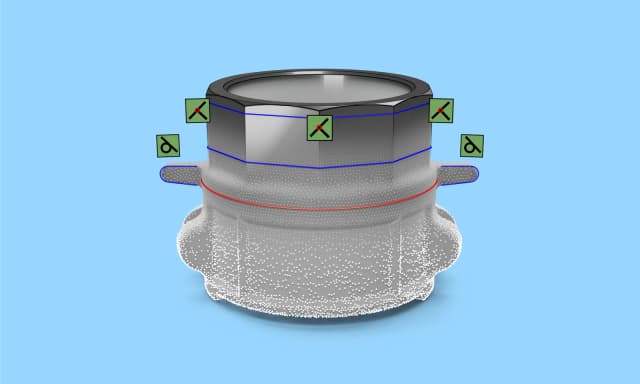
By the end of the course, you will know how to navigate the Geomagic Design X interface, process 3D scan data, create 3D models from the mesh, build parametric solids, model complex surfaces, and use the analysis tools to validate the accuracy of the model.
A parametric model stores the construction logic: you change one dimension and the rest updates, which makes it easier to correct and update the part later. It is different from the scanner mesh, which is just a surface of triangles with no dimensions or engineering features.
Instead of measuring with calipers and redrawing, you start from the real geometry. Validation against the original data shows the deviation before the part goes into production. This is useful for anyone who replaces parts that have no drawings or rebuilds tooling.
Who the Design X reverse engineering course is for
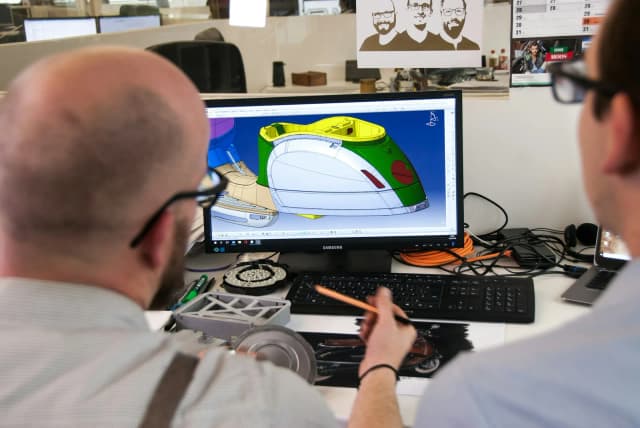
The course is for anyone who needs a CAD model from a physical part: product designers and engineers, toolroom technicians, maintenance professionals who replace parts without drawings, and quality analysts who need reference CAD.
It is also for teams that already have a 3D scanner and use only part of its potential. The mesh alone is not editable and cannot be used in an assembly. The step that turns it into engineering geometry is Scan to CAD, the subject of this course.
Geomagic Design X is Hexagon software used in sectors such as automotive, aerospace, medical, and consumer goods. If your company works with existing parts, and not only new designs, what you learn applies directly.
Course program by module
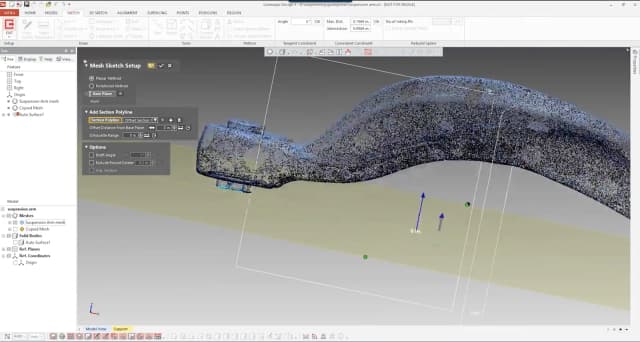
The content is divided into modules, from basic concepts to advanced techniques.
Introduction to Geomagic Design X: navigate the software interface and understand the basic concepts of 3D modeling.
3D scanning: process 3D scan data in the software and create accurate 3D models from it.
Parametric modeling: create parametric 3D models that allow changes and updates with ease.
Surface modeling: advanced techniques for creating detailed and complex 3D models.
3D model analysis: use the analysis tools in Geomagic Design X to validate and verify the accuracy of the models.
Total course hours, number of lessons, and support materials are not listed on this page: confirm them on the purchase page on Hotmart before enrolling, since the program above follows the description provided by Technosim.
Prerequisites for the Scan to CAD course
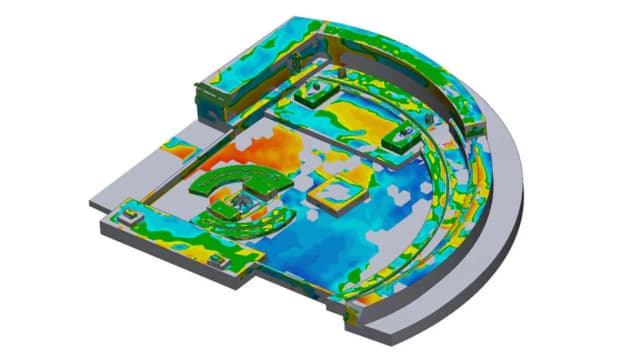
The course starts with the basic concepts of 3D modeling, so it does not assume advanced CAD experience. It helps to have some familiarity with technical drawing, such as dimensions, views, and tolerances, because the end goal is a model that can be manufactured or inspected.
To practice, you need a computer that can run Geomagic Design X and access to the software. Hardware requirements are those of the manufacturer, Hexagon. The course works with 3D scan data or traditional CAD data.
Whether practice material is provided, which software version is used, and how to obtain a license are points that vary: confirm them on the purchase page on Hotmart and, for software licensing, contact Technosim, which resells it in Brazil.
Online course format and what happens after purchase

The course is online, and purchase and access are handled through Hotmart. In practice, you study at your own pace and repeat a difficult segment, such as surface reconstruction, until the procedure is mastered.
After purchase, content access follows the platform's rules. Access duration, certificate, support for questions, warranty and payment methods: confirm on the Hotmart purchase page, which is the official reference. Technosim does not set these conditions here, and therefore does not promise them.
In practice, the study order follows the modules: interface, scan data, parametric model, surfaces and analysis. The analysis module closes the loop, as it shows whether the reconstructed model faithfully matches the mesh.
Technical questions about the content can be sent to Technosim via contact.
When the Geomagic Design X course is not the best choice and what to use instead
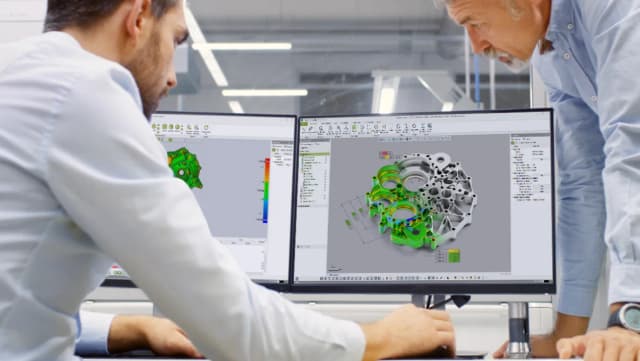
If your goal is to measure parts and issue dimensional reports, rather than create CAD, the path is the Measurement with Geomagic Control X course. It covers inspection, GD&T and alignment, in a later stage of the workflow.
If your issue is capturing parts with the scanner, the appropriate training is 3D scanner digitization, because a poor mesh compromises the model.
If multiple people need to learn together, using the company's parts and scanner, a team training provided by Technosim under a quote usually serves better than the online course. And if your team works within SolidWorks, consider comparing with Geomagic for SolidWorks, which runs inside that CAD. Describe your situation, and Technosim will recommend the format.
Scan to CAD in the full workflow: from scanner to inspection report
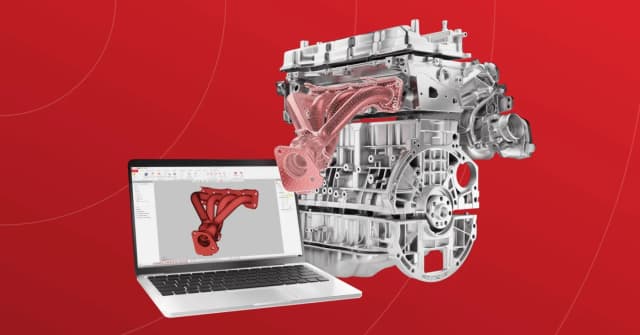
Reverse engineering consists of sequential steps, each with its own training. First comes capture: the 3D scanner generates the mesh, and its quality determines the reconstruction effort. Next is modeling in Geomagic Design X, the focus of this course, which turns the mesh into a parametric solid. Finally, inspection compares the produced part with the CAD, a task for Geomagic Control X.
Therefore, those building a complete cell usually combine the trainings: 3D scanner digitization, Design X modeling, and Control X measurement. Those who already scan well and only need modeling can start with Design X.
The practical outcome is knowing where the bottleneck in your workflow lies before purchasing training.
Video course or instructor-led training: how to decide

The video course, bought on Hotmart, suits anyone who wants to study alone, at their own pace, and replay each lesson as often as needed. Training is different: a Technosim instructor teaches 100% of the time, answers questions on the spot and can work with your company’s parts and scanner.
Training takes place in one of three formats: live online, by video conference; in person at your company; or in person at the Technosim office in Santo André (SP). It makes sense when several people need the same work standard or when the team needs results on real parts.
The table below summarizes the differences.
To buy the course, use the Hotmart button on this page. For training, request a quote and tell us the format, the number of people, the CAD level, the scanner used and the type of part. If you do not have the software or a scanner yet, Technosim resells, deploys and supports them in Brazil.
Comparison
| Criterion | Video course (Hotmart) | Instructor-led training | Learning on your own |
|---|---|---|---|
| How it is organized | Ready-made sequence of modules | Content tailored to your operation | Depends on scattered tutorials |
| Pace | Each person studies when they can | Live lessons, online or in person, with the instructor | No defined structure |
| Parts used | Course examples, and you can practice with your own | Can be the company's own parts and scanner | Whatever the learner can get |
| Technical questions | According to Hotmart's terms and contact with Technosim | Answered by the instructor during the training | Forums and trial and error |
| Best when | One or a few people need to learn the workflow | Several people need the same work standard | There is a one-off need for a feature |
| How to hire | Buy button on Hotmart | Quote request to Technosim | Not applicable |
Technical specifications
- Delivery mode
- Video course (Hotmart) or instructor-led training
- Video course platform
- Hotmart
- Level
- Beginner to advanced
- Software
- Geomagic Design X (Hexagon)
- Methodology
- Scan-to-CAD
- Course certificate, support and warranty
- According to the terms on the Hotmart purchase page
- Instructor-led training
- Live online, at your company or at the Technosim office
Applications
- Reconstruct maintenance parts that no longer have drawings
- Create CAD for worn molds and dies
- Generate editable models of cast, forged, or injection‑molded parts
- Document supplier parts for replacement
- Obtain reference CAD for inspection
- Prepare models for machining, injection molding, or 3D printing
Frequently asked questions
Is the Geomagic Design X course online?
The course is: it consists of video lessons, purchased and accessed through Hotmart, which lists the detailed content, access conditions and payment methods. If you prefer to learn with an instructor, the Geomagic Design X training can be live online, at your company or at the Technosim office.
How much does the reverse engineering course cost?
Pricing and payment methods are on the course page on Hotmart, the updated reference. Technosim does not list a price on this page, and training for a team is quoted by estimate, based on the people and parts involved.
Do I need to know CAD to take the course?
The course starts with basic 3D modeling concepts and progresses to surface techniques, without assuming advanced experience. Basic technical drawing knowledge, with dimensions and tolerances, helps. If in doubt, describe your experience to Technosim, which will recommend the best format.
Do I need to have Geomagic Design X installed?
The course uses Geomagic Design X. How to obtain the software and whether a trial version is available are details to confirm on the purchase page on Hotmart. Technosim resells the software in Brazil and answers questions about licensing and computer requirements.
Do I need a 3D scanner for the course?
The course works with 3D scanning data or traditional CAD, so the essential requirement is having meshes to practice. If the company already has a scanner, the actual parts make the study more useful. Check on Hotmart whether practice material is provided.
Does the course provide a certificate, support, or warranty?
Check the purchase page on Hotmart. Certificate, access duration, support and warranty follow what is described there, and Technosim does not promise anything beyond that page. Technical questions about the content can be sent to Technosim via contact.
What is Scan to CAD?
It is the process of converting a 3D scanner mesh into a solid, editable CAD model. The mesh describes the surface with triangles, while CAD defines the part with shapes and dimensions that you modify later. This is the starting point of the course.
What is the difference between Design X and Geomagic for SolidWorks?
Both perform reverse engineering. Design X is a dedicated program for the mesh-based workflow, and Geomagic for SolidWorks runs inside SolidWorks. If the team works in that CAD, it is worth comparing the two before deciding; Technosim makes that comparison.
Does Technosim train my team?
Yes. In addition to the Hotmart course, Technosim offers Geomagic Design X training with an instructor 100% of the time, live online, at your company or at the Technosim office in Santo André (SP). Send the team size, the preferred format, the scanner and the types of parts to receive a proposal.
What is the difference between the Design X course and the training?
The course is recorded video lessons, bought on Hotmart, to study at your own pace. The training has a Technosim instructor teaching 100% of the time, live online or in person, at your company or at Technosim, and can use your company’s parts. You can buy one, the other or both.
Want to see it in action?
Schedule a demo with a part of yours, in person or online.