
Technosim training
Digital Measurement and Inspection in Geomagic Control X
Hands‑on training to measure, align, and issue dimensional reports using 3D scanner data.
The Geomagic Control X course from Technosim is a practical 3D dimensional inspection training for teams. You learn to import scan data, align the part to the model, measure linear dimensions and GD&T characteristics, and build reports to analyze and optimize the process. The instructor teaches 100% of the time, live online, at your company or at the Technosim office.
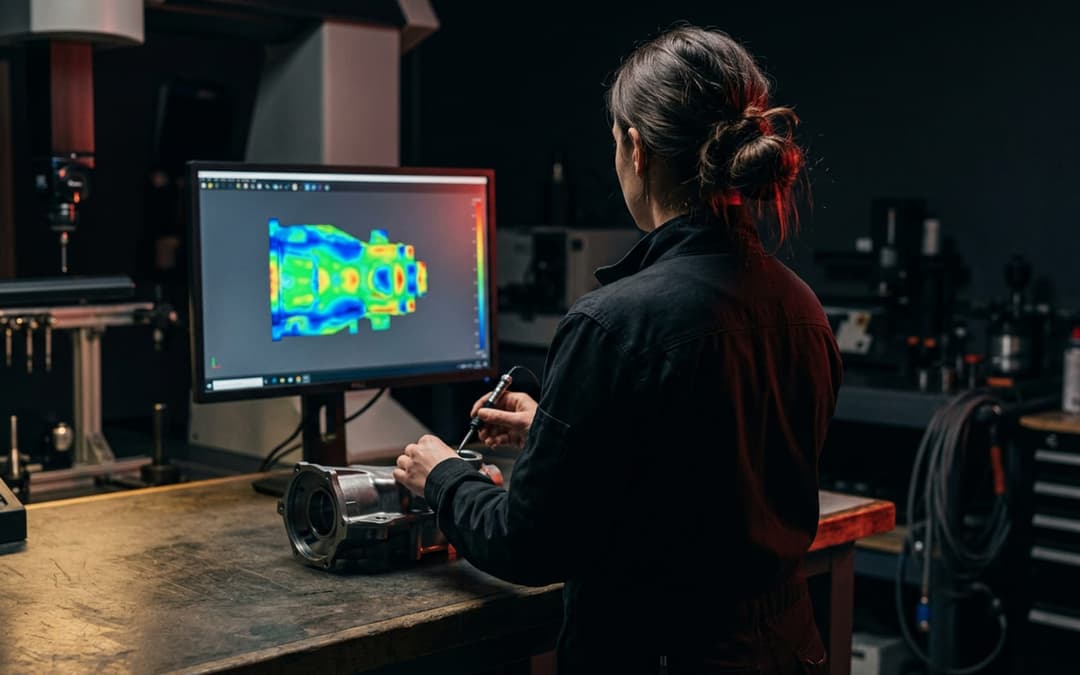
Highlights
Dimension measurement and GD&T
You measure linear dimensions and GD&T features, and learn to read the report graphs.
Alignments
You use GD&T tools and other alignment types to present the result in an analyzable way.
Inspection reports
You create dimensional reports that evaluate the measurements and features of the produced parts.
Mesh editing
You learn to use mesh editing tools to remove data imperfections.
Scan data
The program includes scanning objects of various types and importing the data into Control X.
Three formats
Live online, at your company or at the Technosim office, always with the instructor teaching the whole time.
Course or training: how you can learn
Training always has a Technosim instructor teaching 100% of the time, in one of these three formats. Where available, the video course is the option for studying on your own, at your own pace.
Live online training
Lessons by video conference, with the instructor teaching and answering questions on the spot. Available to teams anywhere in Brazil.
Training at your company
The instructor comes to you and teaches in your environment, with your company’s computers, equipment and parts.
Training at the Technosim office
In person at Technosim, in Santo André (SP), so the team can step away from the shop floor and focus on learning.
What you do at the end of the Geomagic Control X course
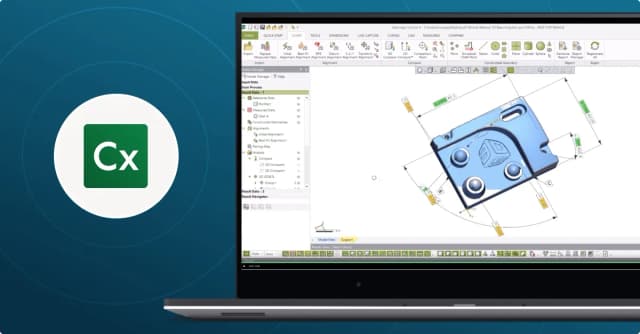
At the end of the training, you know how to import 3D scan data into Geomagic Control X, edit the mesh to remove imperfections, align the scanned part to the model, measure linear dimensions and GD&T features, and generate a dimensional report.
Geomagic Control X is a 3D measurement software that assesses whether physical parts conform to the design. Unlike a contact instrument, the coverage is full: the scanner captures the entire surface, and the software compares that surface with the CAD. Instead of checking a few points, you see where the whole part deviates from the model.
The practical outcome is that your team can produce reports autonomously, rather than relying on the person who performed the scan. This provides predictability to the part‑approval cycle and prevents re‑work of reports due to alignment errors.
Who the 3D dimensional inspection course is for
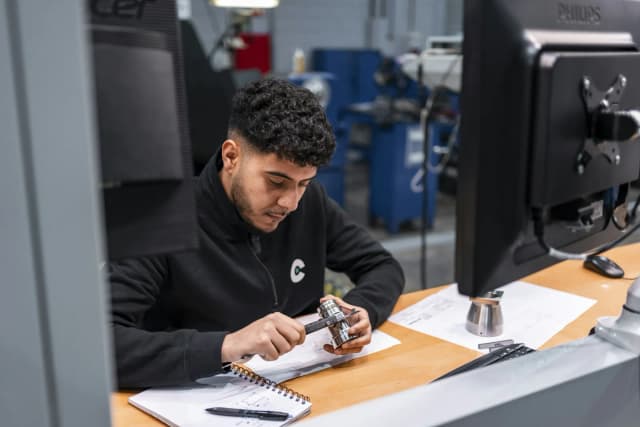
The training is designed for professionals in quality, metrology, product engineering, and tooling who need to verify whether the manufactured part meets the drawing specifications. It is also suitable for teams at companies that have recently acquired a 3D scanner and still need to transform point cloud data into pass/fail decisions.
The course is recommended when inspection is a recurring task: freeform parts that are difficult to measure with conventional instruments, initial batches of molds and dies, or reports required by clients and audits.
If you do not yet have the software, Technosim resells, deploys, and provides support in Brazil, and the training is included in the same proposal. For the buyer, the decision is to train the person who will sign the report, not just to purchase the software.
Course syllabus: what you will learn
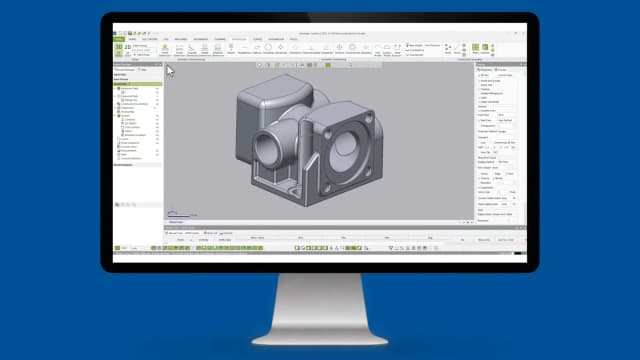
The syllabus follows the workflow of inspection tasks. It begins with an introduction to Geomagic Control X and an explanation of measurement types.
Next, you learn to scan objects of various types and import the scan data into the software.
Then, you cover GD&T tools and alignment types, used to prepare the report that presents results in the best way for analysis, including linear dimension measurement and interpretation of report graphs.
The program also includes mesh editing tools to remove imperfections from the data.
The training is hands-on, led by experienced instructors. The duration, location, and number of days are not listed on this page: they are agreed upon in the Technosim proposal, tailored to your team and your parts.
Prerequisites for the Control X training
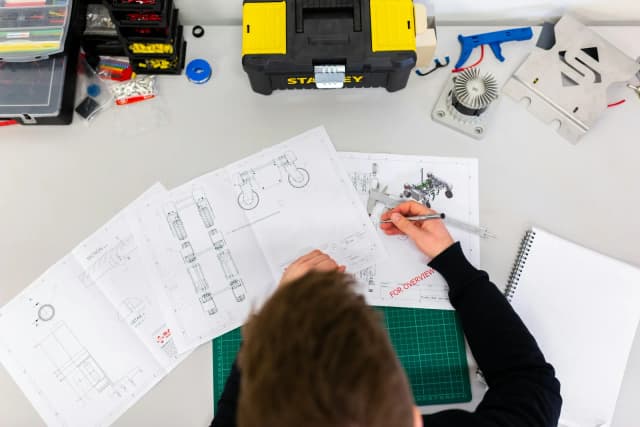
No formal prerequisites are specified, and the training starts with an introduction to the software. Familiarity with technical drawings and basic GD&T concepts, such as flatness, position, and profile, is helpful because the report relies on interpreting tolerances.
To practice in your company, you need Geomagic Control X, a computer compatible with Hexagon requirements, and scan data of real parts. If your scanner is not yet in use, the 3D scanner digitization training is the natural preceding step.
The CAD model of the part is also required, as Control X compares the measured part against it. Inform Technosim what your team already has, so the training content starts from your actual situation rather than generic examples.
Training Format and Post-Contract Workflow

Training is always led by an instructor who teaches 100% of the time, with a hands-on approach. You choose between three formats: live online, by video conference; in person at your company, with your software and your parts; or in person at the Technosim office in Santo André (SP). The instructors have practical experience using the software in industry.
The hiring process works like this: you request a quote and tell us about the team, the parts and the preferred format. Technosim proposes the date and the workload. After the training, the team applies the method to its own parts.
How many people take part and whether there is a certificate are defined in the quote; this page does not promise them. Lead times depend on the scope and are stated in the proposal.
The result for you is training designed for your operation, not a generic class.
When Control X training is not the best choice and what to use instead
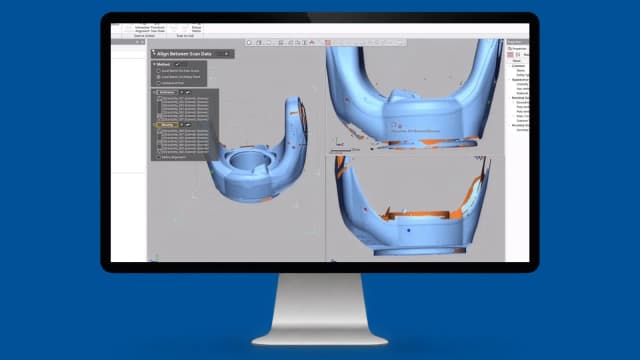
If your goal is to create CAD from a physical part, the appropriate training is the modeling course with Geomagic Design X, which reconstructs the part as a parametric solid. Control X compares and measures, but its focus is not modeling.
If the team has not yet mastered the scanner, start with the 3D scanner digitization training: a mesh with defects compromises any report.
If you need results for only a few parts and do not plan to inspect repeatedly, the inspection offered as a Technosim service may cost less than building an in‑house team. And if you are unsure which software fits your case, ask Technosim for a comparison between Geomagic Control X, Design X and SolidWorks before deciding.
Why invest in digital inspection and 3D reports
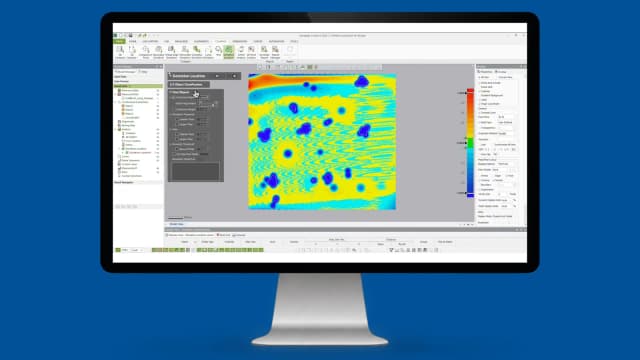
Scanner‑based inspection captures the entire part, not just the points someone chose to measure. This helps uncover warpage, wear and deformation that would go unnoticed in an isolated dimension.
Alignment is the most sensitive step. Aligning by best‑fit or by drawing references changes the outcome, and the report is only reliable if the method is correct. Therefore the training devotes attention to alignment types and GD&T, rather than just teaching how to generate the report.
When the report is produced by the internal team, approvals are faster and process errors surface earlier. For you, the benefit comes from avoiding rework and client disputes over a measurement that no one can reproduce.
How to order Geomagic Control X training

To request a quote, provide the number of participants, their GD&T proficiency level, the scanner they use, the software they have, and the type of part they want to inspect. If possible, attach a sample report your company currently issues.
Technosim will respond with the proposed format, schedule and duration. The price depends on these items, and Technosim does not publish pricing on this page.
If you prefer to learn the full workflow, the team also trains on 3D scanner digitization and Design X modeling, and the package can be purchased in phases. This way you choose the order based on your inspection bottleneck and spread the investment over stages, without committing to everything at once.
Comparison
| Criterion | Technosim team training | Learning the software on your own | Inspection contracted as a service |
|---|---|---|---|
| Goal | A team that inspects independently | A one-off question or feature | Result for one or a few parts |
| Content | Tailored to your operation and your parts | Put together by the learner | No teaching, just the report |
| Alignment and GD&T | Guided by an instructor, with practice | Risk of errors that are hard to notice | Done by Technosim |
| Format | With an instructor: live online, at your company or at Technosim | Open, no structure | According to the service deadline |
| In-house expertise | Stays in the company | Stays with whoever studied | Does not stay |
| How to hire | Quote request | Not applicable | Quote request |
Technical specifications
- Delivery mode
- Instructor-led training: live online, at your company or at Technosim
- Format and duration
- Agreed in the quote, according to need
- Software
- Geomagic Control X (Hexagon)
- Instructors
- Professionals with hands‑on industry experience
Applications
- Approval of first machined and injection‑molded component parts
- Free‑form part deviation map against CAD
- Approval of molds, dies and stamping tooling
- Dimensional reports for customers and audits
- Warpage and deformation analysis on plastic and cast parts
- Wear verification on tools and in‑service components
Frequently asked questions
Is Geomagic Control X training offered on‑site or online?
Both. You choose between three formats, always with the instructor teaching 100% of the time: live online, by video conference; in person at your company; or in person at the Technosim office in Santo André (SP). Tell us your preference and your location when you request a quote.
What is the course duration?
The duration is not listed on this page, and Technosim does not commit to it without knowing your team. It is defined in the proposal, based on knowledge level, number of participants and parts to be inspected.
How much does Control X training cost?
Technosim does not publish pricing. The cost depends on the number of participants, the duration and the agreed format, and is provided in the quote. Submit your team data, the scanner used and the part type to receive a detailed proposal.
Do I need to have the software and the scanner?
To practice in‑house, yes, both: the course uses Geomagic Control X and scanning data. Technosim resells the software and scanners in Brazil and can bundle everything in a single proposal, including implementation, training and support.
What is 3D dimensional inspection?
It is the comparison of the manufactured part, captured with a 3D scanner, against the CAD model. The software displays deviations over the entire surface—not just isolated points—and allows measuring dimensions and GD&T features to generate an approval report.
Does the course teach GD&T?
Yes. The curriculum includes GD&T tools and Control X alignment types, as well as linear dimension measurement. The exact depth and examples used are tailored to your team’s level and confirmed in the proposal.
Can I combine it with the Design X course?
Yes. Technosim offers training in Design X, Control X and 3D scanner digitization. The optimal sequence depends on the bottleneck: those receiving poor meshes start with digitization, those needing CAD start with Design X, and those who have both can go straight to inspection.
Do the instructors have hands‑on experience?
According to Technosim, the instructors understand how the software works and its day‑to‑day industrial use, and the courses focus on real‑world work scenarios. Ask about the instructor’s background when requesting the proposal.
Can the training use parts from my company?
It can be combined. The course takes a hands‑on approach and adapts to each company’s needs. Indicate in the request which parts and reports you use, and Technosim will confirm in the proposal how they will be incorporated into the training, including your company’s report template.
Want to see it in action?
Schedule a demo with a part of yours, in person or online.