
Forming Suite: what it is and when a stamping shop needs it
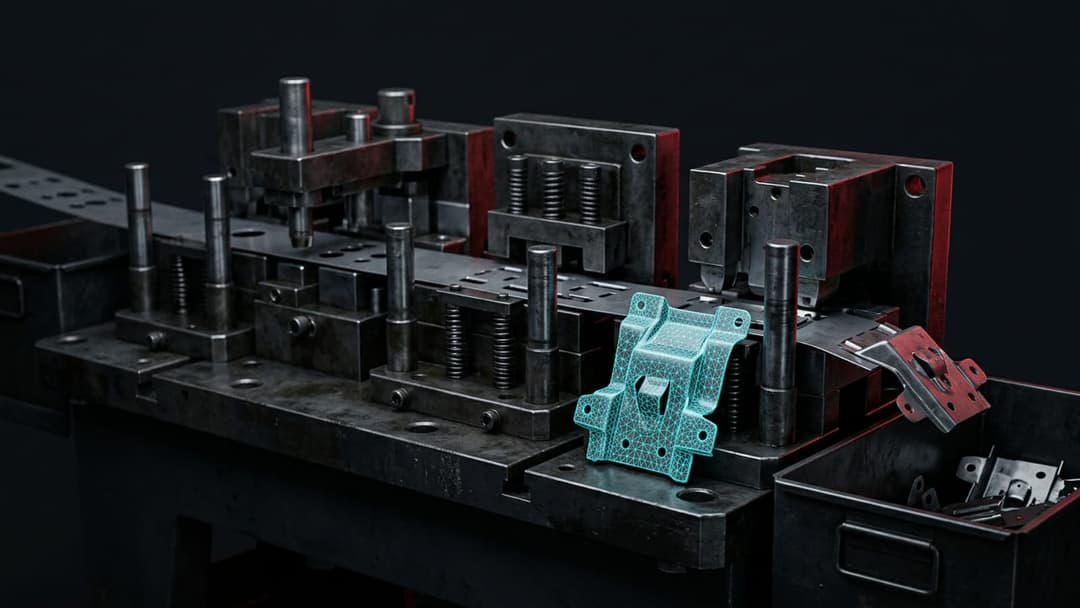
Forming Suite is quoting and simulation software for stamped parts. From the part's geometry, it unfolds the blank, positions it on the sheet or strip, assesses stamping difficulty, and estimates tooling cost. It is used by stamping shops and toolrooms before quoting or designing the tool.
What is Forming Suite?
Forming Suite is part of the forming simulation portfolio distributed by Technosim in Brazil, together with Simufact Forming, and is available within the MSC One package for manufacturing. Its focus is the commercial and feasibility phase of the die: answering, based on geometry, whether the part can be stamped, how much material it consumes, and how much the tooling should cost.
It does not replace detailed die design or press try-out. It reduces uncertainty before you commit to a price or a process strategy.
What functions does Forming Suite offer?
- Blank unfolding: from the 3D model, it calculates the part's flat outline, the basis for the amount of sheet that will be consumed.
- Positioning on the sheet or blank plate: allows you to study the part cut by laser or in a cutting tool, and the best blank layout on the strip to make use of the raw material.
- Feasibility simulation (Feasibility): a quick simulation that shows how difficult the part is to stamp, such as regions at risk of rupture or wrinkling.
- Tooling cost estimate: based on the method plan envisioned by the estimator, which can be exported.
- Incremental simulation: validation of the forming surface in more detail, to evaluate the stamping of the part.
How does Forming Suite reduce costs in stamping?
Raw material accounts for a large part of the final price of a stamped part. Forming Suite targets this directly: a blank size closer to reality and a better layout on the strip reduce scrap. Less waste per part means savings across the entire batch.
The second gain is time. In many companies, quoting a complex part takes days, because it depends on conversations between quoting, design, and the toolroom. With the geometry in the software, blank analysis, sheet utilization, and the first difficulty assessment become much faster. The estimator responds to the customer with less waiting.
The third is price accuracy. A quote far above the customer's target loses the business, and one far below erodes margin. With material weight and tooling strategy estimated from data rather than intuition, the price gets closer to the real cost.
When should you use Forming Suite and when another tool?
Forming Suite is recommended when the decision is commercial or about feasibility: quoting a new part, comparing processes (for example, progressive versus transfer tooling), and discussing with the customer. When the question becomes the detailed behavior of the material in a specific process, such as forging, or the effect of stresses through the thickness, Simufact Forming comes in with a volumetric simulation, in which the part is a solid and not a shell.
The two programs complement each other. Forming Suite covers the quoting and feasibility phase, and Simufact handles the deeper process analysis. For other topics, see our articles on how to estimate stamping cost before production and on how to reduce quoting errors.
Who uses it and what does a company need to get started?
The typical audience is the stamping estimator, the tool designer, and the commercial manager of toolrooms. To get started, you need the part's 3D model, the material and sheet thickness specification, and basic information about the planned process. The results depend on the quality of this data: a material with wrong properties produces a wrong feasibility assessment.
Technosim handles resale, implementation, training, and support in Brazil. If the part does not yet have a 3D model, it can be obtained through reverse engineering from a physical sample.
What example shows Forming Suite in use?
A toolroom receives an inquiry for a stamped sheet metal bracket. The estimator loads the 3D model, unfolds the blank, tests two layouts on the strip, and sees which one consumes less steel. Then they run feasibility and notice a tight radius that is likely to require an extra operation. With that, they define the method plan, estimate the tooling, and respond to the customer with a price backed by numbers, in addition to suggesting a larger radius to make the tool cheaper.
Frequently asked questions
Does Forming Suite replace die design?
No. It supports quoting and feasibility. Detailed design and try-out are still necessary.
Is Forming Suite used for forging?
The focus is stamped sheet metal parts. For forging and other bulk forming processes, the recommended tool is Simufact Forming.
Do I need the part's CAD?
Yes, the 3D model is the basis of the calculation. Without it, reverse engineering can rebuild it.
What is the relationship with MSC One?
MSC One organizes licensing by tokens, and the manufacturing package combines Forming Suite with Simufact.
Does Technosim offer training?
Yes, with implementation and support in Brazil.
How to request a Forming Suite demonstration
Send a real stamped part from your catalog, as a 3D model, with material and thickness, and tell us whether the tool is progressive, transfer, or single-operation. Technosim shows the quoting workflow with your part and provides the licensing terms. See also Forming Suite and the blog.