
Which 3D scanner to choose: comparison of the 4 models
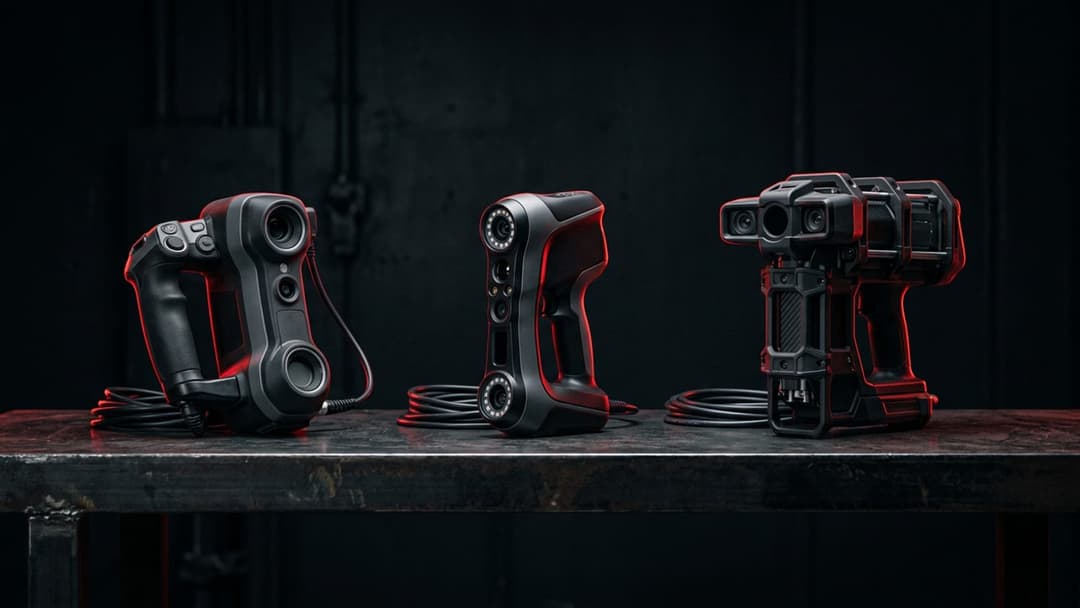
Which 3D scanner to choose depends on four things: the size of the part, the surface (shiny, black, colored), the access (tight or open space) and the use (inspection, reverse engineering, art). Tight spaces call for the SIMSCAN, small to medium parts with a tracker call for the NimbleTrack, reflective surfaces call for the KSCAN-Magic, color and sculpture call for the 3DeVOK MT.
How to compare handheld 3D scanners fairly?
Compare by task, not by the lowest number on the datasheet. Each scanner comes from a design choice: size, capture technology, how captures are aligned. Winning on one criterion costs on another, and the right calculation is for the parts that go through your bench.
Before comparing, remember that accuracy, resolution and measurement rate are different quantities, and that manufacturers' numbers come from different tests. The values in this article come from Scantech datasheets and are meant as guidance, not for ranking. If you want to understand each datasheet field, read the guide on 3D scanner precision and accuracy here on the blog.
SIMSCAN: for tight spaces and difficult access
The SIMSCAN weighs 570 g and measures 203 × 80 × 44 mm, with one-handed operation. The 130 mm camera distance creates a sharper viewing angle, which helps look into deep grooves and confined areas. It states accuracy of up to 0.020 mm, three scanning modes and up to 2.8 million measurements per second. It can be used with the AirGO Power wireless link.
Trade-off: the SIMSCAN's advantage lies in access and portability. On large parts, the error accumulated between captures needs attention: check the datasheet test and compare with tracker or photogrammetry systems. Choose the SIMSCAN for engine compartments, the inside of housings, assembled parts and field work.
NimbleTrack: wireless, targetless and with a tracker
The NimbleTrack combines a 1.3 kg 3D scanner and a 57 cm, 2.2 kg optical tracker (i-Tracker), both wireless and battery-powered. It works without applying targets, at 120 FPS, and states accuracy of up to 0.025 mm and maximum volumetric accuracy of 0.064 mm across the entire range. The scanner can operate alone in tight spaces, with accuracy of up to 0.020 mm. Adding trackers extends the reach without compromising accuracy. There is an option for a contact probe (i-Probe500), edge detection and a mount for automated measurement with robots.
Trade-off: the datasheet positions it for small to medium parts, and there are two pieces of equipment to carry and position, with the tracker needing to see the part. In exchange, you eliminate applying targets and gain control of volumetric error. It is a good choice for repeated dimensional inspection, fixture adjustment and in-line control.
KSCAN-Magic: blue laser, infrared laser and difficult surfaces
The KSCAN-Magic is a composite scanner with five modes: large-area scanning with 11 parallel infrared laser lines (maximum area of 1,440 mm × 860 mm), ultra-fast scanning with blue laser crosses, hyperfine scanning with parallel blue lasers, deep-hole scanning with a single blue laser and integrated large-area photogrammetry. It states accuracy of up to 0.020 mm and volumetric accuracy of 0.015 mm + 0.012 mm/m with the MSCAN-L15 photogrammetry system. It scans reflective and black surfaces and supports contact probing with the K-Probe, tube measurement with optional software and edge inspection.
Trade-off: it offers the most operating modes of the five, which means more options to learn and choose from. For those who need a single piece of equipment that covers everything from large parts to fine detail, it is a strong choice. For those who always scan the same type of part, it may be more than the routine requires.
3DeVOK MT: varied sizes, color and sculpture
The 3DeVOK MT uses 34 blue laser lines and 22 infrared laser lines, plus large-area infrared speckle. It covers objects from 0.05 to 5 m, at up to 70 FPS, with a single-frame area of 490 mm × 490 mm for industrial parts and up to 1,100 mm × 1,000 mm in large-area speckle mode. It states accuracy of up to 0.04 mm and resolution of up to 0.05 mm on industrial parts (up to 0.1 mm in sculpture and full-body modes). It scans black and reflective surfaces without spray, works indoors and outdoors, performs color scanning with texture mapping and has a human body mode with a Class I laser.
Trade-off: the stated accuracy, up to 0.04 mm, is lower than that of the previous models, even though it was obtained in a different test. In exchange you gain color, sculpture, human body scanning and the ability to scan without markers on objects with texture or rich geometry. It is the choice for art, cultural heritage, customization, medical rehabilitation and design parts.
Decision tree: which scanner for your part?
Answer in order. The first yes points to the starting point, and the demonstration confirms it.
- Does the part have deep grooves, confined areas or is it installed where access is difficult? Start with the SIMSCAN.
- Is it a small to medium part, inspected frequently, where applying targets costs time? Start with the NimbleTrack.
- Is the surface black, shiny or reflective, and do you also need large parts and fine detail on the same equipment? Start with the KSCAN-Magic.
- Is the object a sculpture, a part with color, the human body or a cultural heritage item? Start with the 3DeVOK MT.
How to choose by part type, surface and use
If your priority is inspection, look at volumetric accuracy and whether there is a tracker. If it is reverse engineering, look at mesh quality and compatibility with Geomagic Design X, since the scanner is only halfway between the part and the CAD model. If it is batch production, check whether the scanner supports an automated system, such as the robot options described in the NimbleTrack and KSCAN-Magic datasheets.
On shiny, black or translucent surfaces, the question is whether the scanner dispenses with matte spray. The KSCAN-Magic and 3DeVOK MT datasheets say yes for reflective and black surfaces, and it is worth confirming on your part. On large parts, ask about volumetric accuracy and photogrammetry. On small, detailed parts, ask about resolution.
Common mistakes when choosing a 3D scanner
- Choosing by the lowest accuracy on the datasheet and then scanning two-meter parts.
- Buying the most complete scanner for a routine that uses a single mode.
- Ignoring the software: the scanner delivers a mesh, and the workflow to CAD or the inspection report depends on the software and training.
- Not considering local support, calibration and operator training.
- Deciding without scanning your real part, with its finish and in your environment.
When a handheld 3D scanner is not the best option
For parts that require hundredth-of-a-millimeter tolerances on holes and planes, the coordinate measuring machine is still the better choice. If you only need one part scanned and modeled, hiring the 3D scanning service is more economical than buying equipment that will sit idle.
Frequently asked questions
What is the best handheld 3D scanner for reverse engineering?
It depends on the part. For small and medium parts, any of the five delivers a sufficient mesh. The deciding factor is access and surface: SIMSCAN in tight spaces, KSCAN-Magic on reflective and black surfaces, NimbleTrack without targets. The subsequent modeling usually weighs more than the choice of scanner.
Which 3D scanner to choose for shiny or black surfaces?
The KSCAN-Magic and 3DeVOK MT datasheets indicate scanning of reflective and black surfaces, the 3DeVOK MT without spray. Even so, extreme shine and transparency remain difficult for any optical scanner. Test with your part and, if necessary, use a removable matte spray.
Do I need to apply targets to scan?
It depends on the scanner and the part. The NimbleTrack works without targets, with an optical tracker. The 3DeVOK MT scans objects with texture or rich geometry without markers, and can use markers on smooth parts. Targets remain useful on large, simple parts, and Technosim sells the stickers.
Which scanner works for large parts?
For large parts, accumulated error matters more than point accuracy. Look at volumetric accuracy and large-volume accessories: the NimbleTrack extends its reach with more trackers, and the KSCAN-Magic uses photogrammetry. The 3DeVOK MT covers objects up to 5 m.
Is it worth buying the scanner or hiring the service?
It is worth buying when there is recurring use, a trained team and parts that justify the investment. For one-off jobs, the service is usually more economical. Share your part routine when requesting a quote and Technosim will compare both paths with you.
Does Technosim offer training with the scanner?
Yes. Technosim resells, implements, trains and supports Scantech scanners in Brazil. There is also the 3D scanner digitization course for teams, which can be purchased together with the equipment. Consult Technosim about the format that suits your team.
Request a demonstration with your part
To recommend the right scanner, Technosim needs only a little information: the drawing or a photo of the part, the material and surface finish, the dimensions, the tightest tolerance, the use of the result (inspection, reverse engineering, printing) and the work location. With that we schedule the demonstration and show the result on your part. To train your team, see the 3D scanner digitization course.