
Industrial 3D scanner price: what determines the cost
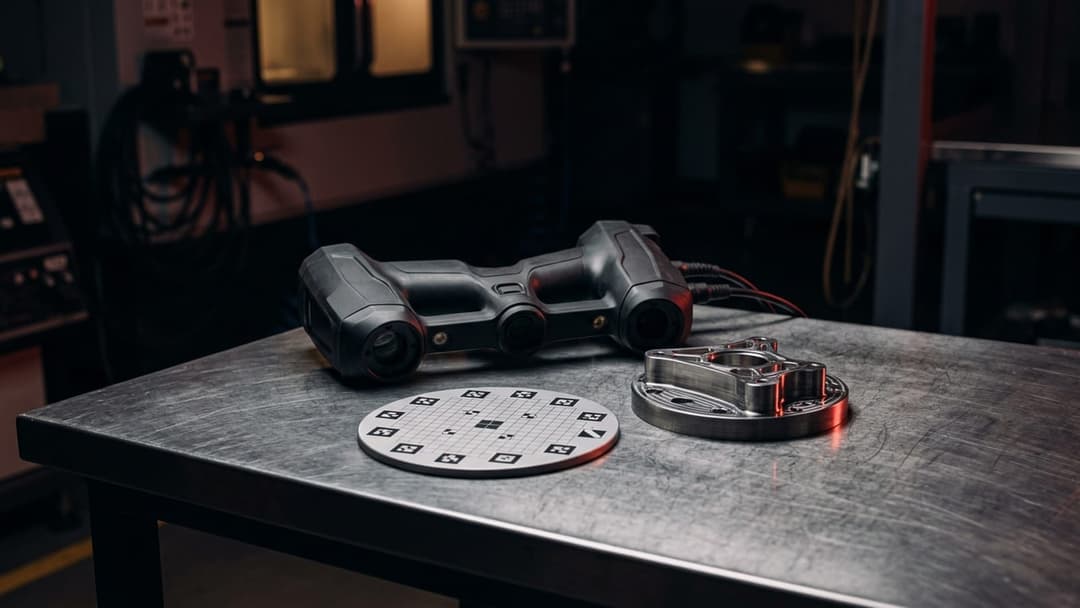
The price of an industrial 3D scanner depends on the type of scanner, the required accuracy, the size of the parts, the processing software, training and local support. That is why there is no single figure: the investment is defined by the application. This guide shows what weighs on the calculation and how to decide between buying and outsourcing.
How much does an industrial 3D scanner cost and why is there no single figure?
Those who research how much a 3D scanner costs usually find equipment so different that the comparison loses its meaning. A handheld scanner for reverse engineering housings, a system with an optical tracker for inspecting larger parts and equipment for color sculpture solve different problems, and each one carries different specifications, accessories and software.
Instead of looking for a number, it is worth asking what the company needs to measure, with what accuracy and how often. The answer to these three questions narrows the list of suitable equipment, and it is from there that Technosim builds the proposal. This article deliberately does not quote prices: any range published without knowing the application would be misleading.
What changes the investment in an industrial 3D scanner?
Scanner type and technology
Laser scanners, structured light scanners and systems with optical tracking have different architectures and different costs. The technology defines behavior on black or shiny surfaces, capture speed and the part size the equipment measures well. If you want to understand this difference before requesting a proposal, read the comparison of 3D scanning technologies.
Accuracy and measurement volume
Accuracy is how close the measurement comes to the true value, and the measurement volume is the space in which that accuracy holds. Measuring a small part with a very tight tolerance requires a different system from the one used to measure a structure several meters long. Demanding more accuracy than the part's tolerance calls for makes the equipment more expensive without any gain, and demanding less produces measurements that do not support the decision. Always compare the scanner's accuracy with the tolerance of the part you measure.
Processing software
The scanner only captures. Turning it into useful information depends on software: Geomagic Design X to reconstruct editable CAD models, Geomagic Control X for inspection and reports, Geomagic Wrap to process point clouds and meshes. Each has its own licensing, and the choice depends on what the company will do with the data. A scanner without the right software sits in the closet.
Training
Scanning well is a skill. Fixturing, scan strategy, use of targets and reading the deviation map change the quality of the result. Training the team protects the investment, and Technosim offers courses such as 3D scanner digitization and measurement with Geomagic Control X, in addition to equipment implementation.
Support, calibration and maintenance
Measuring instruments need periodic verification and technical assistance. If the equipment has to travel abroad for repair, the downtime enters the calculation. Ask any supplier where and how support is provided.
Accessories and automation
Adhesive targets, contact probes, photogrammetry systems, additional trackers and robot mounts expand what the equipment does, and each item changes the scope. Define early whether the application requires in-line measurement, automation or only bench use.
Buy a scanner or outsource 3D scanning?
This is the decision that weighs the most, and the answer depends on recurrence. Outsourcing the 3D scanning service makes sense when the demand is one-off, when the part is too large or too complex for the equipment you would have, or when you want to validate the method before investing. Buying starts to make sense when the need recurs, when internal response time is critical or when the scanned data feeds an ongoing inspection routine.
A practical criterion: add up how many parts you scan over the year, how much each wait for an outside service costs (idle machine, held batch) and how many people on the team will use the equipment. If those numbers weigh in favor of owning the equipment, the investment in scanner, software and training becomes comparable to a production tool. If use is sporadic, the equipment will sit idle and the service is cheaper.
Decision checklist for choosing your industrial 3D scanner
- List the parts. Maximum and minimum size, material, surface finish (shiny, black, matte) and access to cavities.
- Define the use. Reverse engineering, dimensional inspection, 3D printing, documentation or more than one of them.
- Note the tightest tolerance. It guides the required accuracy, which weighs on the choice of equipment.
- Estimate the frequency. Parts per week or per month, and who will use it.
- Define the software. CAD reconstruction, inspection with reporting or mesh processing.
- Check support and training. Where service is located, how calibration works and who trains the team.
- Request a demonstration with your part. No specification replaces seeing the equipment scan your real case.
Common mistakes when buying
- Comparing scanners only by price. Equipment from different categories does not solve the same problem, and the comparison ignores software, training and support.
- Choosing by the maximum accuracy in the catalog. It usually applies under specific conditions, and volumetric accuracy over larger parts is a different calculation.
- Forgetting the software. Without the proper license, the scanner generates meshes that no one can turn into a model or report.
- Underestimating training. A team without practice generates bad data, and the equipment ends up getting the blame.
- Not testing with the real part. Surface, size and access change the performance of each technology.
When is buying a 3D scanner not the best option?
If you scan few parts per year, if the parts vary greatly in size and finish, or if no one on the team will have time to operate the equipment, the outsourced service is usually more rational. The same applies when the doubt is whether the method solves your problem: a reverse engineering or digital inspection project done as a service shows the result before any purchase.
Frequently asked questions
Why does Technosim not publish scanner prices?
Because the value depends on the configuration: model, accessories, software, training and support. An isolated number would lead to misleading comparisons. With a description of the application, the team builds a proposal that reflects what you really need, and you compare equivalent proposals with each other.
Is a more expensive 3D scanner always better?
No. Equipment is better when it meets the tolerance, size and finish of your parts, not when it has the highest specification in the catalog. Paying for accuracy that the application does not use brings no gain, and choosing below what is needed compromises the decision that the measurement supports.
What is included in the investment besides the scanner?
Normally processing software, accessories such as targets or probes, implementation, team training and technical support. What goes into each proposal varies, so ask for the full description of the scope and compare the package, not just the equipment.
Is it better to outsource scanning or buy the equipment?
It depends on recurrence. For one-off demands or to validate the method, the service avoids the investment. For frequent use, with continuous inspection or short lead times, owning the equipment tends to pay off. Calculate the number of parts per year and the cost of each external wait.
Do I need software beyond the scanner?
Yes, in most cases. The scanner delivers a point cloud or mesh, and turning that into a CAD model or inspection report requires software such as Geomagic Design X, Control X or Wrap. The choice depends on what the company will do with the data.
How to request a quote for an industrial 3D scanner?
Describe the parts (size, material, finish), the use, the tightest tolerance and the scanning frequency. If possible, send photos or a sample part. Technosim recommends the appropriate equipment, software and training and, when it makes sense, suggests the service as an alternative.
How to request a quote or demonstration
To receive a proposal that can serve for comparison, send the maximum and minimum size of the parts, the material and finish, the intended use, the tightest tolerance, the scanning frequency and the CAD or inspection software you already use. The Technosim team replies recommending the compatible scanner, software, training and support, or the scanning service when it is the most economical path. If you have a part available, schedule the demonstration with it.