
Forging and welding simulation: when Simufact pays off
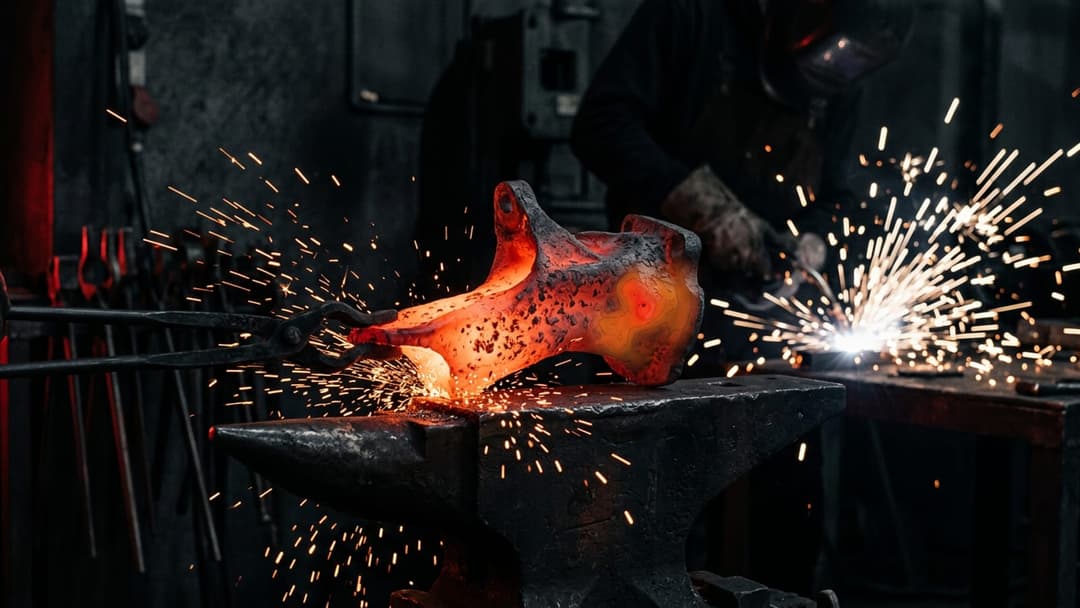
Forging and welding simulation pays off when a process error is expensive: forging tooling that has to be redone, a welded assembly that comes out of the fixture distorted or a part that does not fill the die. Simufact predicts these problems on the computer, before the die is machined or the fixture is built, and lets you compare alternatives without spending material.
When is forging or welding simulation worth it?
Simulation pays for itself when three conditions appear together: the cost of an error is high, the number of variables rules out reliable intuition and physical testing is slow or destructive. A forging die is the classic example. Once machined and heat treated, any geometry change requires rework or a new die. If the simulation shows that the material does not fill a corner, or that the part folds over itself (a forging lap), the fix costs hours of engineering time, not a new tool.
In welding, the reasoning is similar. A welded assembly distorts because localized heating and cooling create stresses that are released as deformation. You find this out after assembly, when the assembly is already out of tolerance for the next process. Simulating the welding sequence lets you evaluate distortion and residual stress in several scenarios before building the fixture.
It also pays off when the geometry is new, when the material changes (a different steel behaves differently at working temperature) or when the process is repeated many times, because a small adjustment multiplied by a large batch adds up. For a simple part, in a known material, with a stabilized process, shop floor experience is usually enough.
What does Simufact Forming simulate?
The Simufact Forming simulates metal forming processes such as hot and cold forging, stamping, rolling and others. The calculation uses the finite element method and considers mechanical and thermal behavior at the same time: the heated part gives off heat to the die and the air, cools, changes strength, and that alters the material flow.
In forging, what you get from the simulation is, in practical terms:
- cavity filling: whether the material reaches every corner, and at which stage;
- material flow: where there are laps, missing material or overlaps;
- the required forming load, which is checked against the capacity of the press or hammer;
- the temperature of the part and the tool throughout the cycle;
- stress and wear on the die, which indicate where it is likely to fail first;
- the billet and flash volume, with a direct impact on material consumption.
In sheet metal stamping, simulation helps predict wrinkles and tears before the tool is built. For the commercial side of stamping, Forming Suite supports quoting stamped parts, from blank development to tooling cost estimates.
What does Simufact Welding simulate?
The Simufact Welding simulates the welding process to optimize parameters and prevent distortion and stresses that compromise quality. According to the product datasheet, it calculates material behavior, microstructures in the heat-affected zone and potential defects such as hot cracks. It also covers spot welding and Directed Energy Deposition (DED), and includes a tool that evaluates the position and number of clamps.
This answers questions that the shop floor really faces:
- What is the final distortion of the assembly, and does it fit within the assembly tolerance (bowing, gaps)?
- Which weld bead sequence distorts the least?
- How many clamps are needed, and where, before the tool is manufactured?
- How does heat input affect the hardness and phases of the metal in the weld region?
- What residual stress is expected in each alternative?
Which decisions does simulation change day to day?
Some examples of concrete decisions, without promising a percentage gain, which depends on each case.
In forging, a tooling engineer compares two preform designs. In the simulation, the first leaves a lap in the rib region and requires a load above the press capacity; the second fills everything with a lower load. He manufactures the second die. The simulation did not eliminate try-out, but it reduced the iterations of machined dies.
In welding, the person responsible for a welded structure sees that the current sequence warps the assembly beyond what is acceptable. He tests a different bead order and a change in clamp position in the simulation, and takes the best alternative to the fixture. The savings come from not building and correcting the fixture several times.
In purchasing and quoting, simulation provides a technical argument: if the part only comes out with one more forging step, the cost needs to reflect that before the price is closed.
What are the limits of simulation?
Simulation is a model, and a model depends on input data. The points that weigh the most:
- Material properties. The flow curve as a function of temperature and strain rate must be appropriate for the steel or alloy used. Generic data produces generic results.
- Friction and heat transfer. Lubrication and contact with the die influence the result and are hard to measure; they are usually calibrated with real tests.
- Machine conditions. The real press has stiffness and speed that vary, and this needs to be represented.
- Interpretation. The software shows what the model calculates. The engineer decides, recognizing when a result is physically plausible.
That is why simulation reduces physical trials but does not replace validation on the first real part. The value lies in reaching that test with a better design.
When is simulation NOT the best option?
When the part is simple, the material and process are well known and the shop has a history with similar geometries, the effort of preparing the model may exceed the gain. It also makes no sense to simulate without reliable material data, or when the quality problem comes from something the model does not represent, such as raw material batch variation or unmonitored tool wear. In those cases, measuring the real part solves it faster, and digital inspection shows what the process actually produced.
Quick checklist: how to decide whether to simulate
- List the cost of an error: new die, scrap, rework or fixture delay.
- Gather the available data: part and tool geometry, material, temperatures, equipment, process parameters.
- Define the question the simulation must answer (filling, load, distortion, clamps).
- Simulate the current alternative and check it against a known real case to calibrate the model.
- Compare alternatives and choose the one that answers the question with margin.
- Validate on the first physical part and record the difference between predicted and actual.
How does Technosim help?
Technosim resells, implements, trains and supports Simufact Forming and Simufact Welding in Brazil, as well as Forming Suite and MSC One, a token-based collection of CAE simulation software. To bring the real geometry of the tool or the worn part into the computer, Technosim's own 3D scanning and reverse engineering generate the starting CAD model.
Frequently asked questions
Does forging simulation replace die try-out?
No. It reduces the number of design and machining cycles by anticipating filling, laps and load, but the first real part still validates the model. The gain is in reaching try-out with a better design, and in comparing the real result with the predicted one to calibrate future simulations.
Does Simufact Welding predict distortion in a welded assembly?
Yes, it evaluates distortion and residual stress in different scenarios, which lets you compare welding sequences and adjust the design before building the fixture. It also calculates the microstructure in the heat-affected zone and flags risks such as hot cracks. Accuracy depends on the material data and process conditions provided.
Do I need material data to simulate?
Yes. The result depends on the material's flow curve as a function of temperature and strain rate, as well as thermal data. With generic data, the result is indicative. For tooling decisions, it is worth using data from the material actually used. Talk to Technosim about what your team needs to gather.
Which processes does Simufact Forming cover?
Metal forming: hot and cold forging, sheet metal stamping, rolling and other forming processes, with combined thermal and mechanical analysis. For welding, the product is Simufact Welding, which also covers spot welding and DED.
What is the difference between Simufact Forming and Forming Suite?
Simufact Forming simulates the forming process by finite elements, focusing on flow, load and temperature. Forming Suite supports quoting and simulation of stamped parts, from blank development to tooling cost estimates. One serves process engineering; the other, quoting.
How do I request a demonstration?
Describe the process, the part and the decision you need to make. Provide the material, equipment (press, hammer, welding process) and the current problem, such as short fill or distortion. With that, Technosim recommends the right software and prepares the demonstration.
Request a demonstration or quote
If you have a forging, stamping or welding problem where an error is costly, contact Technosim. Send the drawing or CAD of the part and the tool, the material, the equipment, the current process and what you want to decide. See more content on the blog.